Screenpresso - Screen capture

They say the first impression is what counts, but in the case of Screenpresso this could be a bit misleading. At first sight, Screenpresso seems to be the standard, simple screen capturing tool with no outstanding features. But after using it for a while you'll find it hides quite a few interesting aces up its sleeve.

Top Recommended Alternative

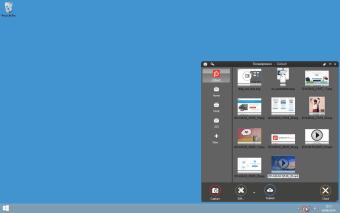
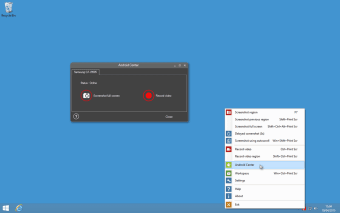
To begin with, Screenpresso lets you choose between installing the program on your hard drive or using it as a standalone, portable app, which is always nice. After that, the programs sits unobtrusively in your system tray, from where you can access its main functions. There's also the possibility to use keyboard shortcuts, though unfortunately you can't customize them.

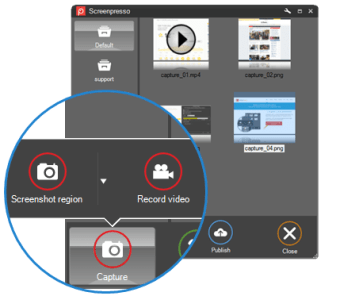
Screenpresso captures the image on your screen in several ways: full screen, user selected area, active window and even scrolling captures, which works great to have a screenshot of a complete website from top to bottom. The program lets you save images to all popular formats and keeps a history of all recent captures.

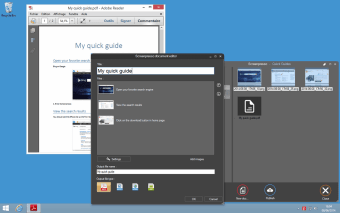
But that's not all: Screenpresso features a simple yet handy image editor that enables you to work on captured images. Just double click on any thumbnail in Screenpresso's history window and you'll be able to add shapes, text balloons, a blur effect or a nice border with reflections in no time. The history window also includes a link to share captured images directly on Twitter.

Screenpresso is an apparently simple screen capturing tool that hides very interesting features. Really worth a try!


 0/4

App specs

Program available in other languages


User reviews about Screenpresso - Screen capture

3.6

2 reviews

Add review

Main reviews for you

  • Anonymous user

    Ultimate screencapture toolbox. there is plenty of screencapture software but I like the way the functions are available in screenpresso, a lot of nice features and good ideas to make your screenshot workflow better ( it even captures video but it is not well promoted in the software ) Pros: plenty of feature Cons: interface would deserve an update

  • Anonymous user

    Amazing !!!. This tool is simply the best I have ever used. I have tried many other software and I can tell this one is really the best.I could take screenshots on my 2 screens and even merge multiple screenshots into one image.The built in editor allows addin 3D arrows and text. I could also blur part of the picture.The software is a standalone exe with no need to install. It can be installed anyway for automatic startup.It does not require administrator priviledges at any time.It is very easy to use. Pros: Very nice built-in editorCan capture and merge multiple screenshotsHistory window to retrieve older screenshotsEasy integration with e-mailsVery easy to use Cons: No available on MAC OS X

More

You may also like

Alternatives to Screenpresso - Screen capture

Explore Apps

Latest articles

Laws concerning the use of this software vary from country to country. We do not encourage or condone the use of this program if it is in violation of these laws.
Softonic

Is Screenpresso - Screen capture safe?

99/100

Score result: Clean

This file passed a comprehensive security scan using VirusTotal technology. It is safe to download.

  • Virus free
  • Spyware free
  • Malware free
  • Verified by Security Partners

    VirusTotal logo

Scan Info

Last scan
Friday, February 20, 2026
Scan provider
VirusTotal · Full report

File Integrity

File
2.1.41.0.exe
SHA256
80d373cb66fa36cc3dd578bb3b05f6144c42c87a86a45be16bf3004325e399ac
SHA1
c8ce8bc9c2c1e50de3512fadda4513e4a4564991

Softonic security commitment

Screenpresso - Screen capture has been thoroughly scanned by our advanced security systems and verified by industry-leading partners. This file comes from the official developer and has passed all our security checks, showing no signs of viruses, malware, or spyware. For more information, visit our Security and Trust Center