
Screenpresso: Capture and Edit Web Page Images with Ease
Screenpresso is a powerful Chrome extension that allows users to capture and edit web page images effortlessly. With its well-designed interface and intuitive features, this tool is perfect for those who need to create visually appealing screenshots for various purposes.
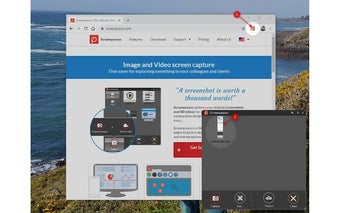
This extension seamlessly captures the displayed web page and sends the captured image directly to the Windows application called "Screenpresso" for further editing. If the application is not available, it prompts the user to save the image file instead.
Screenpresso on Windows is a versatile tool that goes beyond simple image capturing. It enables users to capture their desktop, including screenshots and HD videos, making it ideal for creating training documents, collaborative design work, IT bug reports, and more. The built-in image editor provides a range of editing options, allowing users to enhance their captured images with ease.
Additionally, Screenpresso offers a user guide generator and sharing options, making it convenient for users to share their captured and edited images with others.
Overall, Screenpresso is a must-have tool for anyone who needs to capture and edit web page images. Its user-friendly interface and comprehensive features make it a valuable asset for professionals and enthusiasts alike.















.png)